Touchline Lab — A Varsity Manager's Operations Workspace
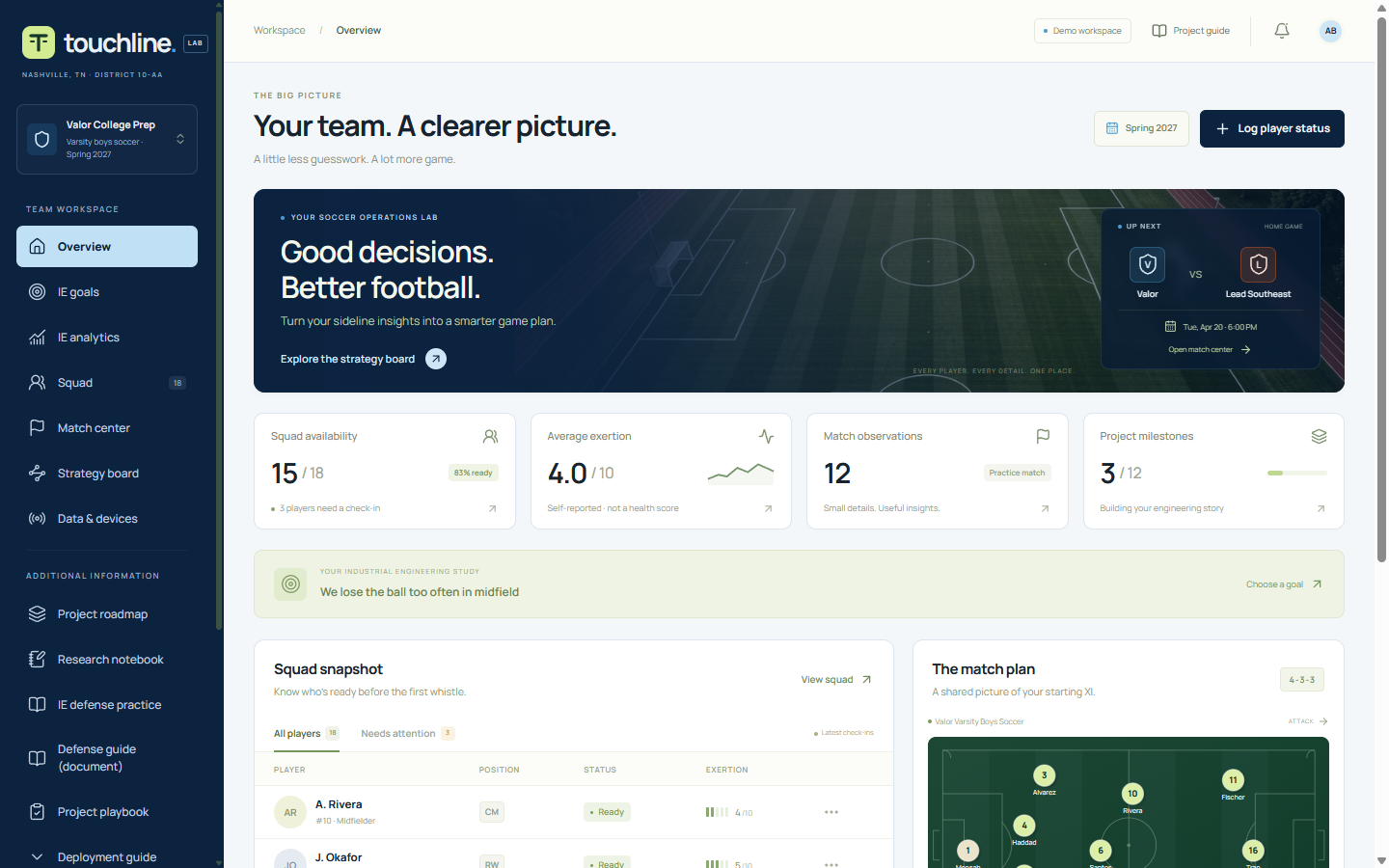
Touchline Lab is a working operations workspace for a high-school varsity soccer team, plus the industrial engineering study built on top of it. It exists because a team runs on information that nobody writes down: who is fit, who is available, who has already played too many minutes, and what actually happened in the twenty minutes when the midfield kept losing the ball.
It was built by Arjun Banerji, the student manager for the Valor College Prep Wildcats varsity boys soccer team in Nashville, and it is deliberately two jobs kept separate: a tool the team can use in a normal week, and a small research study with definitions, a baseline, and honest limits. The tool is evidence that the system exists. The study is the engineering.
Why it exists
Before a match, the manager needs availability, form and minutes in one place. In most high-school programs that information lives in three places — a coach’s memory, a group chat, and a notebook — so the lineup gets rebuilt under time pressure and nobody can say afterwards why a decision was made. During a match, everyone remembers the goals and almost nobody remembers the pattern, because nobody is recording it while it happens.
Touchline Lab closes that loop: record availability before kickoff, log events fast enough to use on the sideline, then review the saved record and test one change at a time. The engineering question underneath it is intentionally narrow, because a narrow question can fail and a failure is still a result: can a shared player-status and lineup tool reduce preparation time without increasing errors? The app calls the 30% target a proposal, not an achievement, and it does so on the screen where the number appears.
What it does
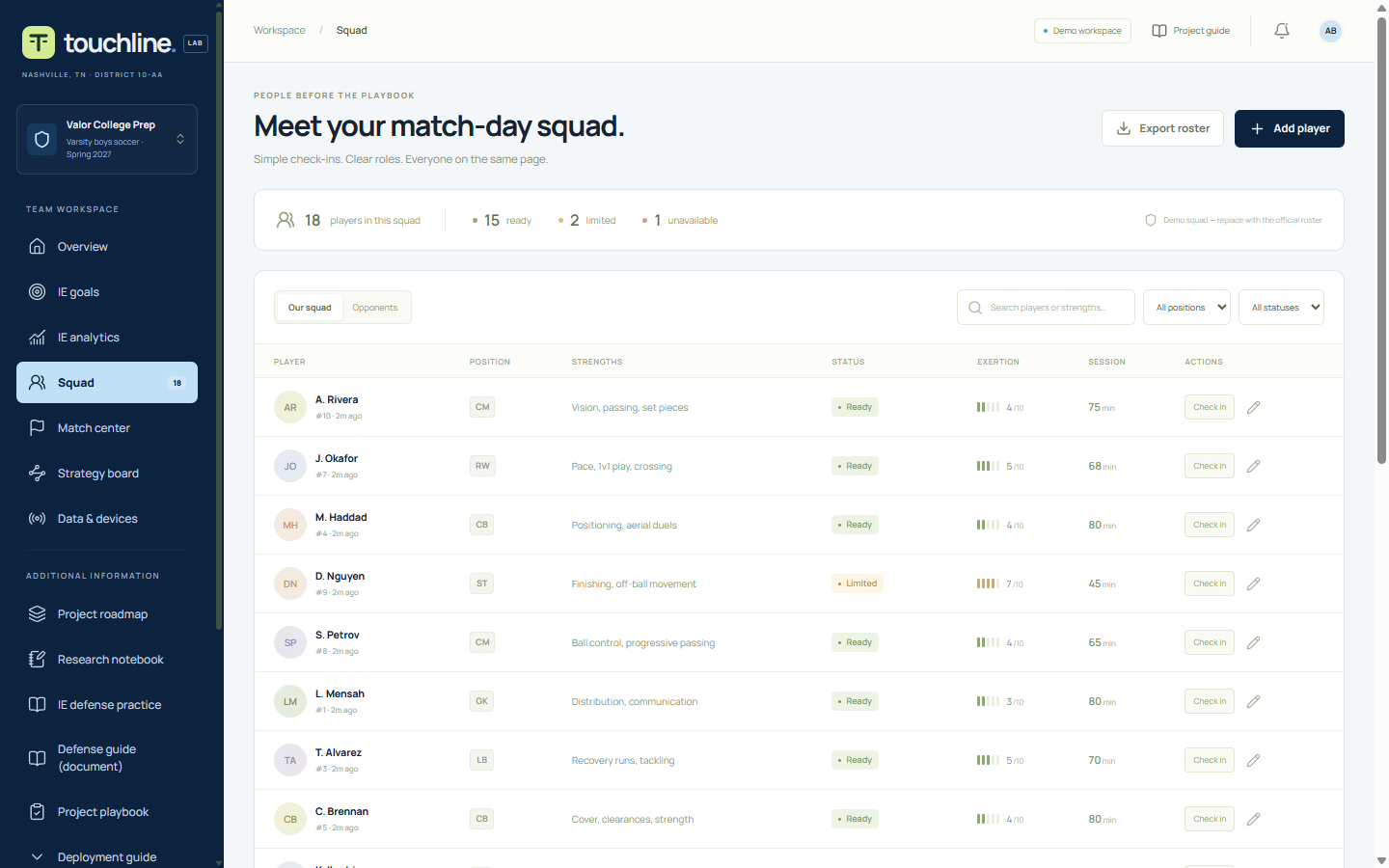
- Squad: player records with position, strengths, availability, session minutes and an optional 1–10 self-reported effort; an append-only check-in history, so a status change is never silently overwritten; search, filters and CSV export.
- Match center: shot, goal, turnover, substitution and observation logged in two taps, with a local timer, a derived score, and a confirm step before a delete.
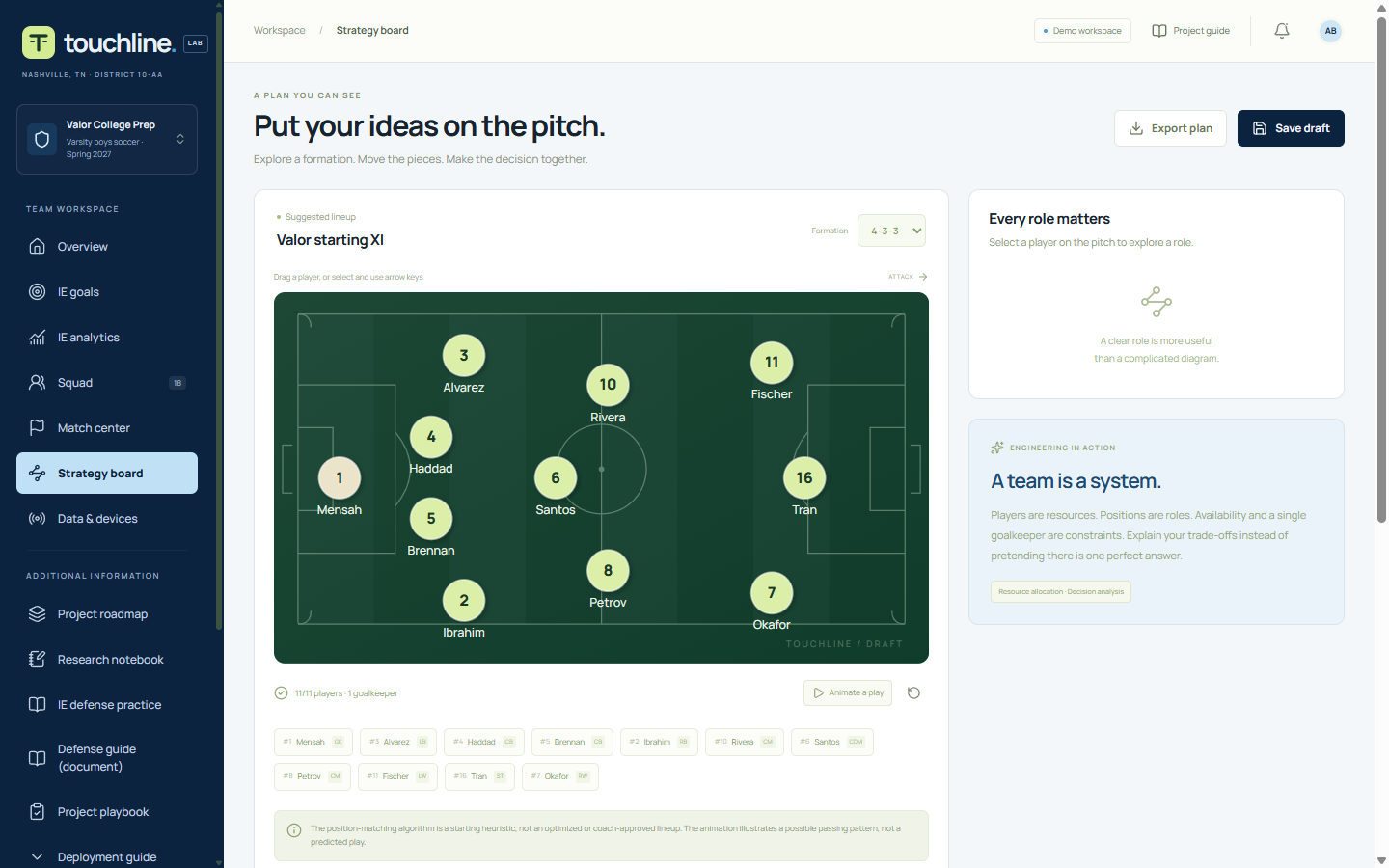
- Strategy board: three formations on a draggable SVG pitch. The server rejects a saved draft that is not eleven distinct players, or does not have exactly one goalkeeper, or includes anyone not marked ready.
- Study layer: six research goals, each with a written definition, numerator, denominator, method and limits; saved baseline and pilot observations; descriptive comparison; CSV export. Plus a nine-zone team dwell heatmap, a research notebook and a 12-milestone roadmap.
- Check-in, both ways: a public phone page where a player picks their jersey number and reports availability, effort and minutes — which lands in a manager review queue and changes nothing until it is approved — plus a whole-squad “check in from paper” table for a manager entering a sheet by hand.
- Optional equipment: two laptop webcam previews with local still capture, a token-protected device endpoint for an ESP32 or Pico, and single-frame AI review of a clip the manager recorded.
Tools and approach
- BUILT WITH: Next.js (App Router), TypeScript, Drizzle ORM, SQLite, server-rendered React and a hand-built SVG pitch. One container, one database file, no database service.
- DATA: players, appended check-ins, a manual match log, zone dwell samples, device readings, notebook entries and saved lineups. No addresses, no birth dates, no diagnoses, no medical notes anywhere in the schema.
- AI, DESCRIBED HONESTLY: text suggestions run through an OpenAI-compatible API when a key is set and fall back to labelled deterministic rules when it is not. Vision review sends one still frame from a clip the manager recorded, never a whole video. With no key, the vision endpoint returns an error rather than inventing an analysis. Nothing is trained.
- WHERE IT LIVES: a SQLite file on a mounted volume in Coolify, created with
CREATE TABLE IF NOT EXISTSon first boot, so a fresh volume becomes a working database with no migration step. A backup is a file copy — which also means the volume is the backup plan, and this post lists that under things to improve. - VALIDATION: every write is checked on the server, not in the browser. Duplicate jersey numbers, an impossible lineup, a negative count, an exertion rating outside 1–10, a bad date, a note past its length limit, and an oversized request body are all refused with a specific message.
- NOTE: every player in the deployment is a placeholder. The squad is a demo squad, and the app says so in the interface, in the README and here.
Review
THE GOOD: the app understands what it is. The team identity — school, mascot, district, season, manager, colours — was scattered across a dozen hard-coded strings; it now lives in one file, so pointing the app at another school is a single edit. The same discipline shows in the AI layer: text advice degrades to written rules, vision refuses rather than guesses, and the interface labels which one you are looking at. And the study layer is the part most student projects skip — six goals that each define a denominator, a method, and the thing their own data cannot prove.
THE BAD: the repository had drifted away from the deployed app, and the drift was invisible because the build stayed green. The docs described PostgreSQL, a YouTube review pipeline and two environment flags that the code had deleted. The Compose files still asked for a Postgres service and a schema-push step that no longer existed, so the documented “run it yourself” path would have failed on the first command. The hero image was referenced on every page and had never been committed, so every load fetched a 404 — and the auth middleware was redirecting that image request to the login page, which nobody notices in a screenshot because the gradient hides it.
TO IMPROVE: the demo is still gated by one shared manager password, and that is honest for a demonstration and wrong for a team: there is no audit trail of who changed what, and a report records a jersey number rather than a person. Named accounts, roles and a retention policy come before any real student data. The roster has no CSV import yet, so eighteen players are entered by hand — a spreadsheet import is the next piece. The AI advice has never been scored against a labelled set, so no accuracy claim is made anywhere. And backups are manual: a file copy is easy, which is exactly why nobody does it.
What we learned
Documentation drifts by default, and a green build cannot see it. The application compiled, type-checked and passed its smoke tests while three documents described an architecture it no longer had. The check that would have caught it is not a test — it is reading the deployment instructions and following them on a clean machine.
A missing asset is a silent failure. A CSS background image that 404s produces no console error the developer reads, no failed test, and no visual clue under a dark gradient. Counting files that the page requests, and requiring each to answer 200, is a cheap check that catches a whole class of “it looks fine to me”.
The gate shapes the product, and a public page writes only to a queue. One shared password was the right call for a demo and it quietly broke the phone check-in page: the middleware redirected it to the login screen, so the feature existed in the code and was unusable by the people it was built for. Worse, when it did run it wrote straight into the player’s official status, so a self-report could mark someone unavailable with no coach in the loop. The fix is structural rather than cosmetic — a separate short code, a report that waits for approval, and jersey numbers shown instead of names, because it is the one page an unauthenticated visitor can open.
And the boundary worth repeating: the software proposes, the coach decides. No continuous player identification, no face recognition, no medical inference, no automatic tactics. A tool that a coach shows a parent has to be honest about that before it is asked.
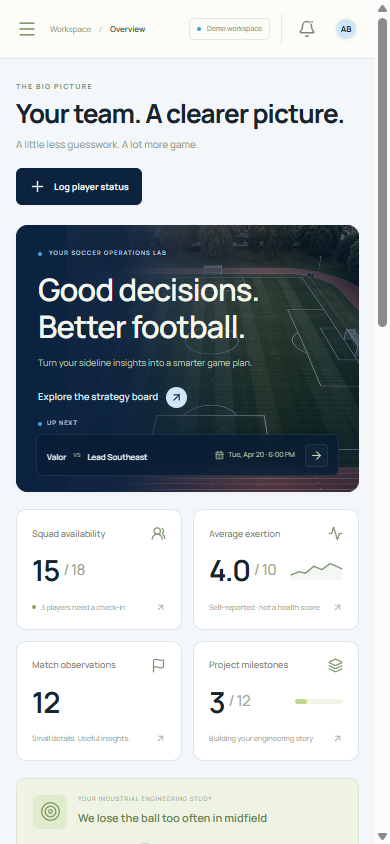
The workspace is password-gated — it is a demonstration, not a public scoreboard. Ask the club for the shared demo password. Source, documentation and the corrected deployment guide are in the repository: polarisJet/soccer-touchline-manager.